Design & Development: Building Digital Products That Perform
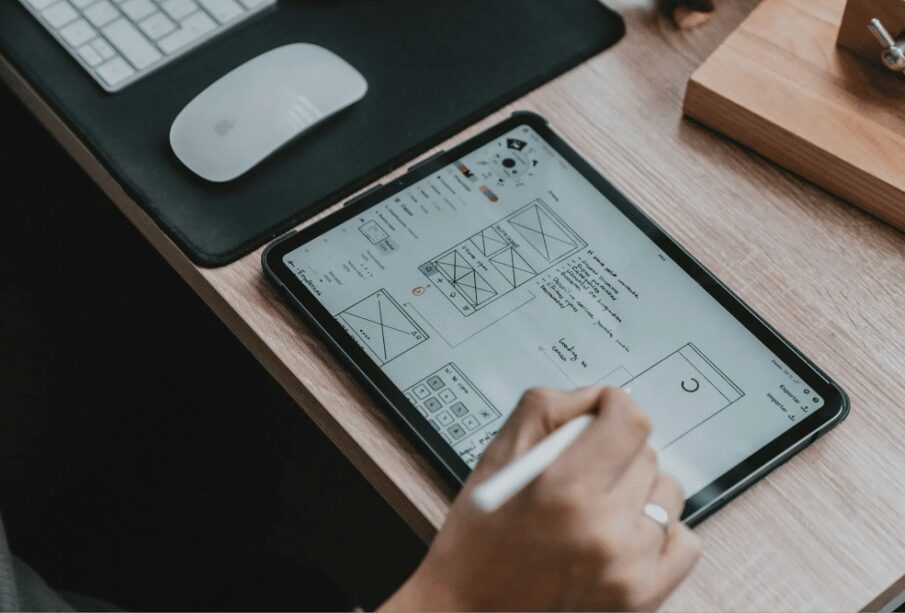
In the digital-first era, design and development form the backbone of every successful product. From websites and mobile apps to enterprise platforms and SaaS tools, the way something is designed and built directly impacts usability, performance, scalability, and long-term value. When these two disciplines work in harmony, they create experiences that are not only visually compelling but also technically sound.
Understanding Design & Development
Design and development are closely related but distinct disciplines.
Design focuses on how a product looks and feels, while development focuses on how it works. Together, they translate ideas into functional, user-friendly digital solutions.
What Design Covers
Design defines the visual and experiential layer of a product.
-
User Interface (UI): Layouts, colors, typography, and visual elements
-
User Experience (UX): User journeys, accessibility, and interaction flow
-
Brand Alignment: Consistent tone, imagery, and identity
-
Prototyping: Wireframes and interactive mockups
What Development Covers
Development brings designs to life through code and logic.
-
Frontend Development: HTML, CSS, JavaScript, and frameworks that users interact with
-
Backend Development: Servers, databases, APIs, and business logic
-
Integration: Connecting third-party tools and services
-
Performance & Security: Speed optimization and data protection
The Design & Development Lifecycle
A structured approach ensures clarity, efficiency, and quality throughout the project.
1. Discovery and Research
This phase focuses on understanding the problem, users, and goals.
-
Market research and competitor analysis
-
User personas and pain points
-
Technical feasibility assessment
2. Planning and Strategy
Clear planning prevents costly revisions later.
-
Information architecture
-
Feature prioritization
-
Technology stack selection
3. Design Phase
Designers transform strategy into visual and interactive assets.
-
Wireframes for structure
-
High-fidelity UI designs
-
Interactive prototypes for validation
4. Development Phase
Developers convert designs into working software.
-
Frontend and backend coding
-
Database and API setup
-
Version control and collaboration
5. Testing and Quality Assurance
Testing ensures the product performs as expected.
-
Functional testing
-
Cross-device and browser testing
-
Usability and accessibility checks
6. Launch and Maintenance
After deployment, continuous improvement begins.
-
Performance monitoring
-
Bug fixes and updates
-
Feature enhancements based on feedback
Why Design & Development Must Work Together
When design and development operate in silos, products often suffer from usability issues or technical limitations. Collaboration ensures:
-
Consistency: Designs match final implementation
-
Efficiency: Fewer revisions and delays
-
User Satisfaction: Smooth, intuitive experiences
-
Scalability: Systems built to grow with demand
Early collaboration allows developers to flag constraints and designers to adapt solutions without compromising creativity.
Tools Commonly Used in Design & Development
Modern workflows rely on specialized tools that improve productivity and collaboration.
Popular Design Tools
-
Figma and Sketch for UI design
-
Adobe XD for prototyping
-
Miro for user flow mapping
Popular Development Tools
-
React, Vue, and Angular for frontend
-
Node.js, Python, and PHP for backend
-
Git for version control
-
Docker for environment consistency
Best Practices for Effective Design & Development
Following proven practices helps teams deliver better outcomes.
-
User-centered approach: Design decisions guided by real user needs
-
Mobile-first mindset: Prioritize performance on smaller screens
-
Clean, maintainable code: Easier updates and scalability
-
Accessibility compliance: Inclusive design for all users
-
Iterative improvement: Continuous testing and refinement
Emerging Trends in Design & Development
The field continues to evolve as technology advances.
Design Trends
-
Minimalist and content-focused layouts
-
Dark mode and adaptive themes
-
Motion design and micro-interactions
Development Trends
-
Component-based architectures
-
Headless CMS solutions
-
AI-assisted development and testing
-
Progressive web applications (PWAs)
Staying current with these trends helps businesses remain competitive and future-ready.
The Business Impact of Strong Design & Development
Investing in quality design and development delivers measurable returns.
-
Higher user engagement and retention
-
Improved conversion rates
-
Reduced long-term maintenance costs
-
Stronger brand credibility
A well-built product becomes a strategic asset rather than just a digital presence.
Frequently Asked Questions (FAQs)
1. What is the difference between web design and web development?
Web design focuses on visuals and user experience, while web development focuses on coding and functionality.
2. Can a project succeed without professional design?
While possible, lack of professional design often leads to poor usability, lower trust, and reduced engagement.
3. How long does a typical design and development project take?
Timelines vary based on scope, but most projects range from a few weeks to several months.
4. Why is UX important in development?
Good UX reduces user frustration, increases satisfaction, and improves overall product adoption.
5. What role does testing play in development?
Testing identifies bugs, performance issues, and usability problems before users encounter them.
6. How often should a digital product be updated?
Regular updates are recommended to improve security, performance, and user experience.
7. Is design more important than development, or vice versa?
Both are equally important. Design attracts users, while development ensures reliability and performance.